
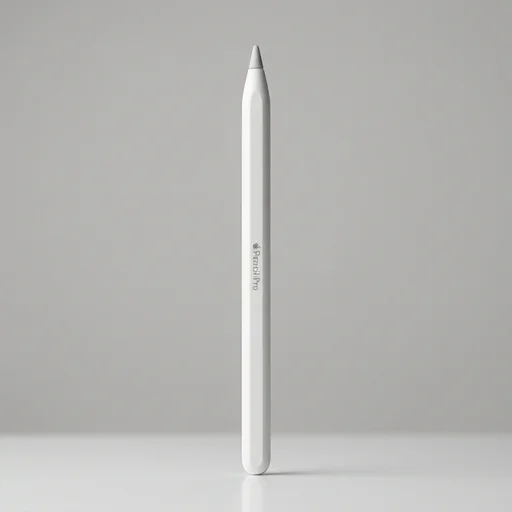
 #1 of 19 in Tablet Gear
Stylusby Apple
Apple Pencil Pro
The Apple Pencil Pro is a refined, premium stylus that elevates the iPad into a true creative and productivity tool.
- Build quality9.7
- Performance9.7
- Ease of use9.6
- Value9.9
- Precision tilt control
- Instant magnetic charging
- Customizable squeeze gesture
As an Amazon Associate we earn from qualifying purchases. Price and availability are shown on Amazon.
Our take
What it's like to live with
The Apple Pencil Pro represents the most advanced stylus Apple has produced for its iPad lineup, blending precision engineering with intuitive new ways to interact with your tablet. Designed specifically to pair with compatible iPad Pro and iPad Air models, this stylus retains the pixel-perfect accuracy, tilt sensitivity, and low-latency responsiveness that creative professionals have come to expect, while introducing a redesigned internal structure packed with new sensors. The result is a tool that feels less like an accessory and more like a natural extension of the hand, whether you're sketching, annotating documents, or taking rapid notes across a tablet screen.
What truly sets the Apple Pencil Pro apart is its new gyroscope and force-sensing capability, which together enable a feature Apple calls "barrel roll." By simply rotating the pencil between your fingers, you can change the orientation of a brush or shading tool in apps like Procreate or Notability, mimicking the way an artist naturally turns a real pencil or brush against paper. Squeezing the barrel brings up contextual tool palettes instantly, eliminating the need to reach for the screen or search through menus. Combined with haptic feedback delivered through a precise internal engine, every squeeze and tap produces a subtle, satisfying click sensation, reinforcing the feeling of tactile control that elevates the overall experience far beyond a simple stick of plastic and graphite-like tip.
Built for the modern mobile creative and productivity workflow, the Apple Pencil Pro charges and pairs effortlessly by attaching magnetically to the side of supported iPads, drawing power wirelessly without cables or separate docks. It supports Find My, so misplaced pencils are easier to track down, and it integrates seamlessly with iPadOS features like Smart Script, smoothing handwriting into cleaner text in real time. For students annotating lecture slides, designers illustrating concepts on the go, or professionals marking up PDFs during meetings, this stylus turns the iPad into a more capable, pen-first computing device. As a laptop and tablet accessory, it fills the gap between traditional note-taking tools and digital flexibility, offering a refined, reliable instrument built for long-term daily use.
Spec sheet
Technical specifications
- Connectivity
- Bluetooth 5.1
- Charging
- Magnetic wireless via iPad
- Battery Life
- Up to 12 hours
- Compatibility
- iPad Pro (M4), iPad Air (M2)
- Weight
- 0.68 oz (19.25 g)
- Brand
- Apple
- Type
- Stylus
Key features
What you get
- 01Barrel roll for precise tool control
- 02Squeeze gesture to bring up tool palette
- 03Haptic feedback via built-in Taptic Engine
- 04Hover support on compatible iPads
- 05Find My support for locating lost pencil
- 06Pixel-perfect precision with tilt and pressure sensitivity
- 07Magnetic attachment for pairing and wireless charging
Pros & cons
The good and the trade-offs
What we like 5
- Seamless pairing and charging via magnetic attach
- Intuitive squeeze and barrel roll gestures
- Excellent palm rejection and low latency
- Works with Scribble for handwriting to text
- Durable matte finish resists smudges
Watch out for 4
- Expensive compared to third-party styluses
- Only compatible with newer iPad Pro and iPad Air models
- No dedicated eraser end
- Can roll off smooth surfaces if not careful
The verdict
Apple Pencil Pro
The Apple Pencil Pro is a refined, premium stylus that elevates the iPad into a true creative and productivity tool. With added gestures, haptic feedback, and improved precision, it's a worthwhile upgrade for artists, note-takers, and professionals who already own a compatible iPad, despite its high price tag.
Check price on AmazonKeep comparing
More in Tablet Gear
 9.2Apple Pencil (2nd Generation)
- Magnetic wireless charging
- Pressure-sensitive precision
- Double-tap tool switching
 9.2OtterBox Defender Series Case for iPad
- Military-grade drop protection
- Built-in screen shield
- Dust-proof port covers
 9.0ZUGU Case for iPad
- Rugged drop protection
- Multi-angle magnetic stand
- Slim yet durable
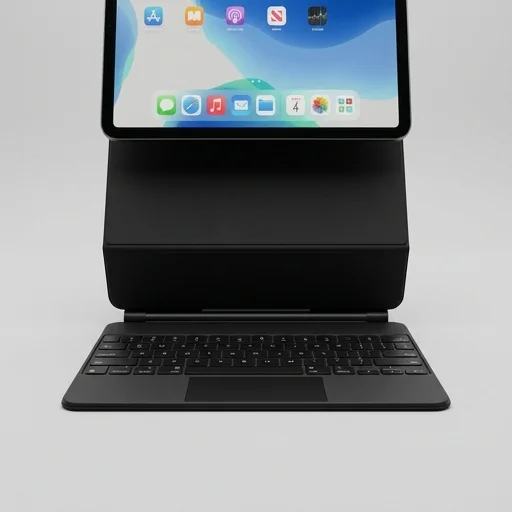 8.9Apple Magic Keyboard for iPad
- Laptop-like typing feel
- Built-in trackpad
- Floating protective design